Fragmented device control
Manage classroom devices without interrupting the lesson to operate separate switches and remotes.

Education case study
Background
The context
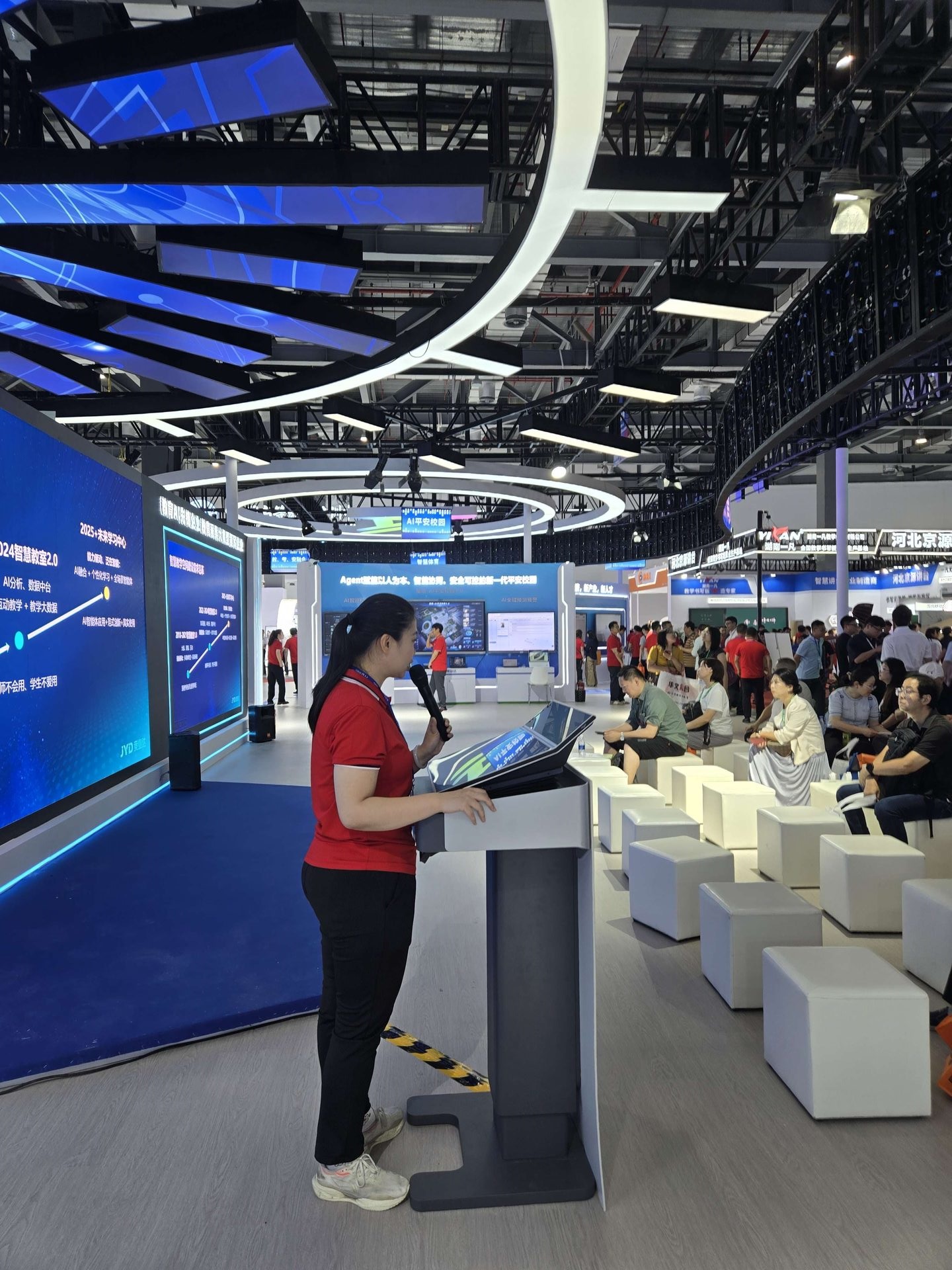
At the front of many classrooms, teachers still manage separate controls for lighting, air conditioning, projectors and curtains while moving between a laptop, wall display and whiteboard.
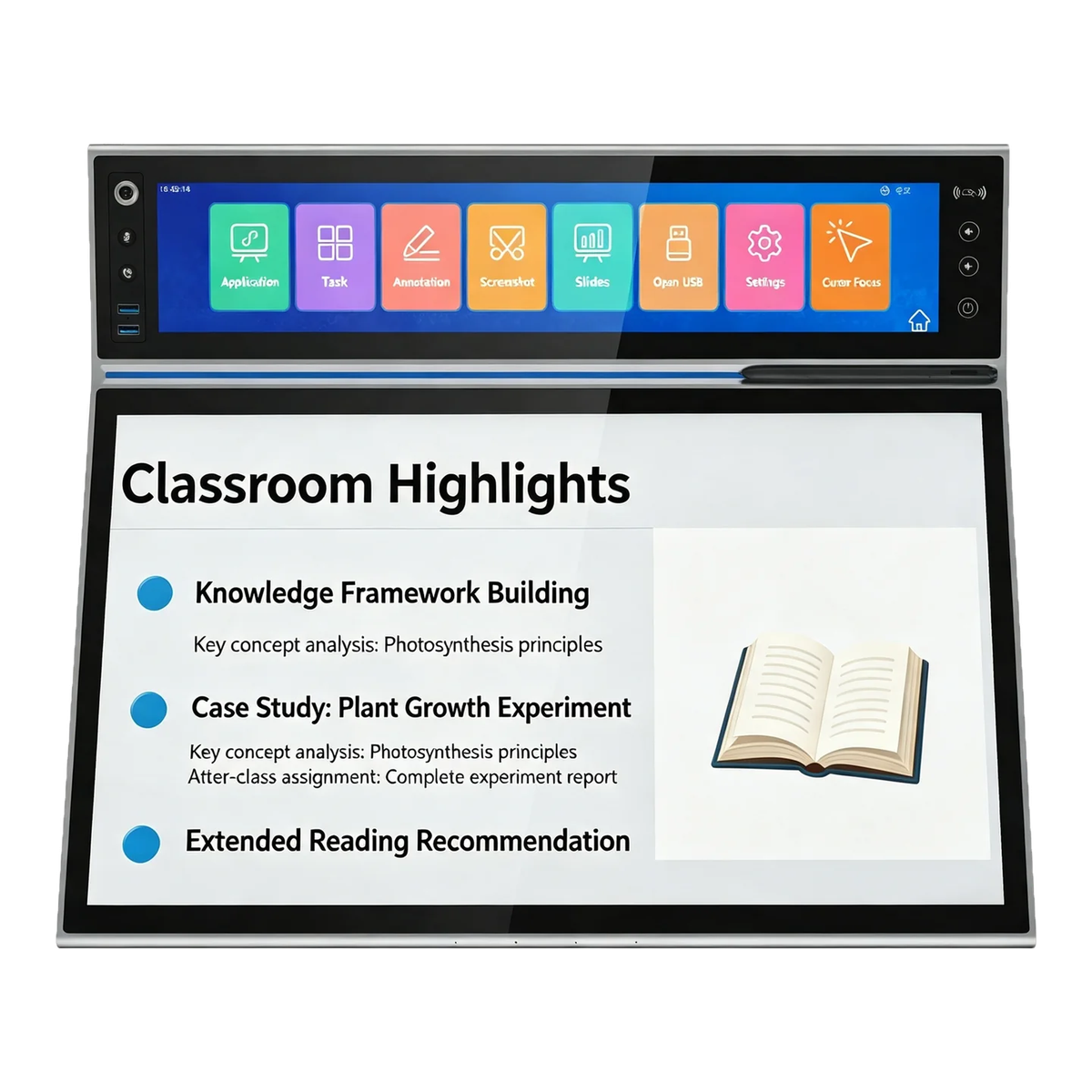
The YFD320 brings those tasks together with a 19-inch upper control display, a 23.8-inch lower screen for courseware and annotation, a battery-free EMR pen and integrated audio in a lectern-grade unit.
Challenges
What the workflow must solve
Manage classroom devices without interrupting the lesson to operate separate switches and remotes.
Make live annotation and formula writing feel direct and responsive, like a familiar whiteboard.
Let the teacher preview content and face students while the class sees the main presentation display.
Connect laptops, storage and wireless display tools without complex cabling or configuration.
Keep the display readable in changing classroom light and under ceiling reflections.
Position the writing surface for comfortable standing use during a full teaching session.
Solution
Haveways approach
The upper screen acts as a classroom control hub while the lower screen provides courseware preview and direct pen annotation.
Capacitive touch supports gestures and navigation; EMR input provides high-precision battery-free pen writing for notes, formulas and diagrams.
Triple-screen linkage pushes annotated content to the classroom display with low-latency synchronization so the teacher can continue facing students.
USB 3.0, Type-C and HDMI connections, shortcut controls, integrated audio and a 12-degree writing angle simplify everyday classroom use.
Product overview
Recommended hardware
The YFD320 combines a 19-inch central-control display with a 23.8-inch Full HD or 4K annotation display, EMR pen input, capacitive multi-touch and integrated audio in one classroom podium.
Applications
Where it works
Manage lights, air conditioning, projector and curtains from the upper-screen interface.
Preview lessons while marking diagrams, writing formulas and highlighting key content with the EMR pen.
Push podium content to the main classroom display while keeping the teacher-facing preview synchronized.
Capture detailed mathematics, engineering and scientific writing with high-resolution pen input.
Sign attendance, equipment authorization and administrative forms directly on the podium.
Connect laptops, USB drives and wireless display adapters through USB, Type-C or HDMI.
Benefits
Operational value
Replace multiple classroom remotes and switches with one customizable control interface.
Battery-free EMR technology supports accurate, pressure-sensitive handwriting without charging interruptions.
Preview and annotate while facing the room instead of repeatedly turning to the wall display.
Choose Full HD or 4K for the 23.8-inch lower display to match classroom requirements.
A 12-degree tilt aligns the working surface with natural standing sightlines.
Anti-glare and anti-fingerprint coatings help preserve clarity during frequent touch use.
Standard ports and Type-C one-cable support speed up teacher setup.
Built-in microphone and speaker support voice and media without separate desktop equipment.
Discuss your deployment